
TradeScalpPRO Features
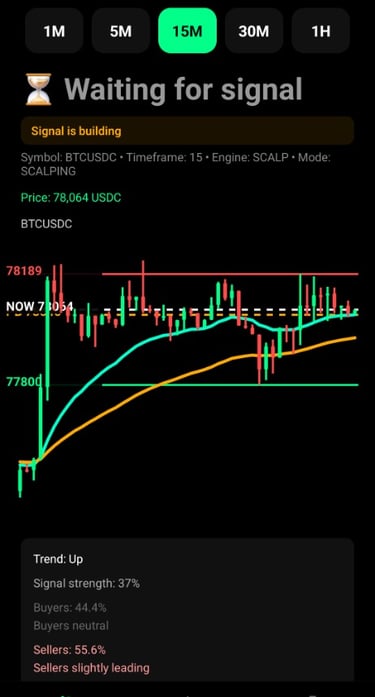
TradeScalpPRO monitors the market in real time and helps determine whether it is better to wait or prepare for a trading opportunity.
The app analyzes:
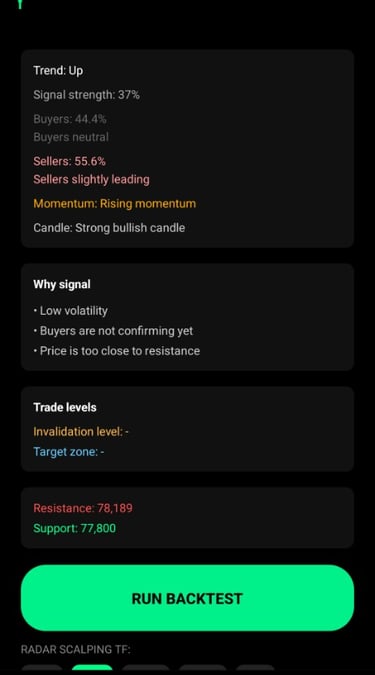
Trend – whether the market is rising, falling, or moving sideways.
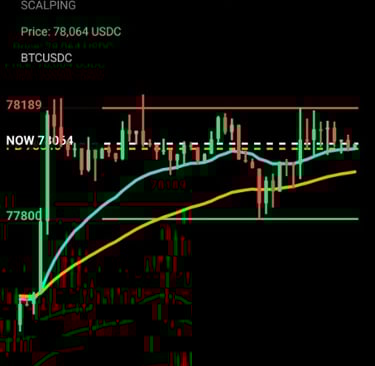
EMA Lines – tracks trend strength using EMA20, EMA50 and EMA200.
Buyers vs Sellers – shows who currently controls the market.
Momentum – whether price movement is accelerating or weakening.
Candles – checks if the confirmation candle is strong enough.
Support a Resistance – displays key price levels.
Trade Plan – shows entry, invalidation level, and target zone.
Backtest / Forward Test – checks how the strategy performed on real historical data.
How to Trade with TradeScalpPRO
1. Choose Timeframe
Select your timeframe at the top:
1M, 5M, 15M, 30M, 1H
Smaller timeframe = more signals, faster action.
Higher timeframe = fewer signals, calmer trading.
2. Watch Main Signal
The app shows:
LONG – price is expected to rise.
SHORT – price is expected to fall.
Waiting for signal - market conditions are not clear enough yet.
Do not trade based only on emotions. Wait for confirmed direction.
3. Watch Signal Status
READY
Signal is confirmed and setup is active.
RUNNING
Trade is already in progress.
TP HIT
Target zone reached.
Waiting for signal
Better to stay out of the market.
4. Check Signal Strength
50–60 % = weaker signal
60–75 % = good signal
75 % + = stronger confirmation
Higher signal strength means better market confirmation.
5. Read the Signal Appeared
TradeScalpPRO explains why the signal was created.
For example:
Uptrend
Pullback to EMA20
Reclaim above EMA20
Buyers confirm direction
Momentum confirmed
Strong bullish candle
Good volatility
This helps you understand the setup.
6. Watch Trade Levels
The app displays:
Planned Entry – ideal price to enter.
Entry Zone – price area for entry.
Invalidation Level – where the setup becomes invalid.
Target Zone – possible profit area.
Support / Resistance – important market levels.
7. Use Backtest
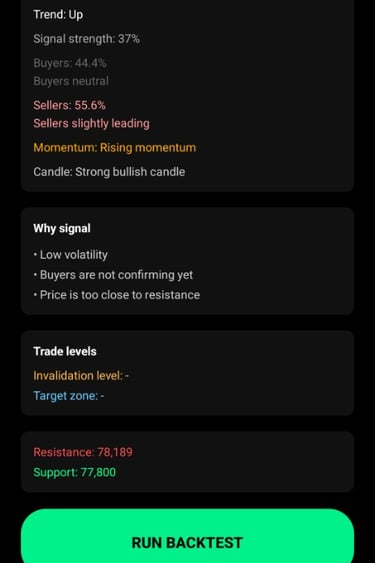
Press RUN BACKTEST to test the strategy on historical data.
Results include:
Number of trades
Win rate
Total PnL
Profit factor
Maximum losing streak
Average trade result
Backtesting helps determine whether a market and timeframe are worth trading.
Simple Rule
Best trades usually happen when:
Signal is LONG or SHORT,
Status is READY,
Signal strength is at least 60 %,
Reasons for signal make sense,
Price is not too close to bad levels,
Backtest shows solid results.
TradeScalpPRO
is more than a basic indicator. It is a smart trading assistant that combines trend analysis, EMA lines, buyer / seller strength, momentum, candles, support, resistance, and backtesting into one clear system.
It helps traders quickly decide whether to enter a trade or wait for a better opportunity.